


For a video, the small image that is displayed as a preview to the video commonly seen on YouTube, Vimeo and mostly all video streaming platforms is called a thumbnail.
A very fitting name. It gives the user an insight and information on what the video is about when clicking through to watch the full video, and it is important to get it right as a creator, as it is the first impression users see for your content, which will either entice them or not to click through to your video
I have found it to be a common oversight for a lot of creators that upload their video that they’ve spent so many hard-worked hours on a video, only for it to get a minimal amount of views and engagement. If this is the case, there can be many reasons why that video has not connected with the audience and made them want to watch more. The list can go on, but I can start with what the first thing people see, the thumbnail.
The perfect thumbnail can vary and is tailored to the creator. A good rule of thumb could be to include a key highlight, that is both eye-catching and offers a little glimpse into what the video is about, as well as a clear and visible title addressing the video, or a phrase that may make someone click through.

Now for what isn’t effective. It’s easy to get lazy with thumbnails and fob off the last step after spending all this time making the video perfect. Click upload on YouTube, and it will suggest 3 frames from 3 different points in the video to use as a thumbnail, or you can upload your own. Commonly people will upload a logo or a quick screenshot if they are choosing their own. Over the years, YouTube has gotten smarter on what points in your video it thinks will be effective as a thumbnail, and sometimes these suggestions can do the trick if you’re not inventing your own. But usually, it can find a point where someone could be mid-blink, an unflattering angle, or something that hasn’t got much relevance into what the video is about.
You may have heard of the term ‘clickbait’. This is where creators have created a thumbnail for a video that is more eccentric and commonly gives a false indication into what the video is about. It can include explicit images, blur out part of the image to lure the user, use explicit text or quotes, and generally leave either a mystery, or desire that the user wants to know more of. These are the bad clickbaits. These tactics have proven effective for click traffic, however it comes with a backlash if it is not genuine. If the user has watched the video and feel they have been mislead, it can tarnish the reputation of that creator for being disingenuous. Sometimes it questions morals of the creator as images can be controversial, or it can end out being a waste of time for the viewer. Alternatively, there are ‘good’ clickbaits. Thumbnails that are still eccentric, use other images not necessarily in the video itself, and/or use text that grabs your attention, but click through and the video is still on the topic that the thumbnail suggests, or is still entertaining/insightful and isn’t a waste of the viewers time.
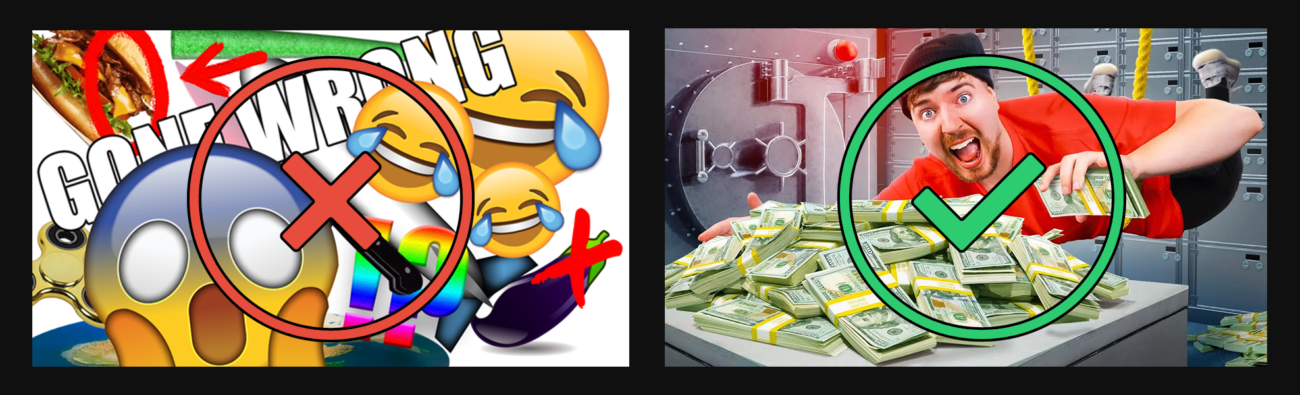
It seems the line is a bit blurred now. What’s right or wrong? What can I use and not use? Well, as long as your thumbnail is a true show of what the video is about, and not utilising specific images of interest or curiosity outside of relevance to the video itself, and it’s entertaining, eye-catching, unique and true, I’d say you’re good to go. I hope this article has outlined why a thumbnail is good, the do’s and don’ts, and hopefully will get you to utilise this essential tool to get your video seen and enjoyed by your viewers!